Checked replies for dealership reps and BDC teams
Catch the wrong price before it goes out in a text.
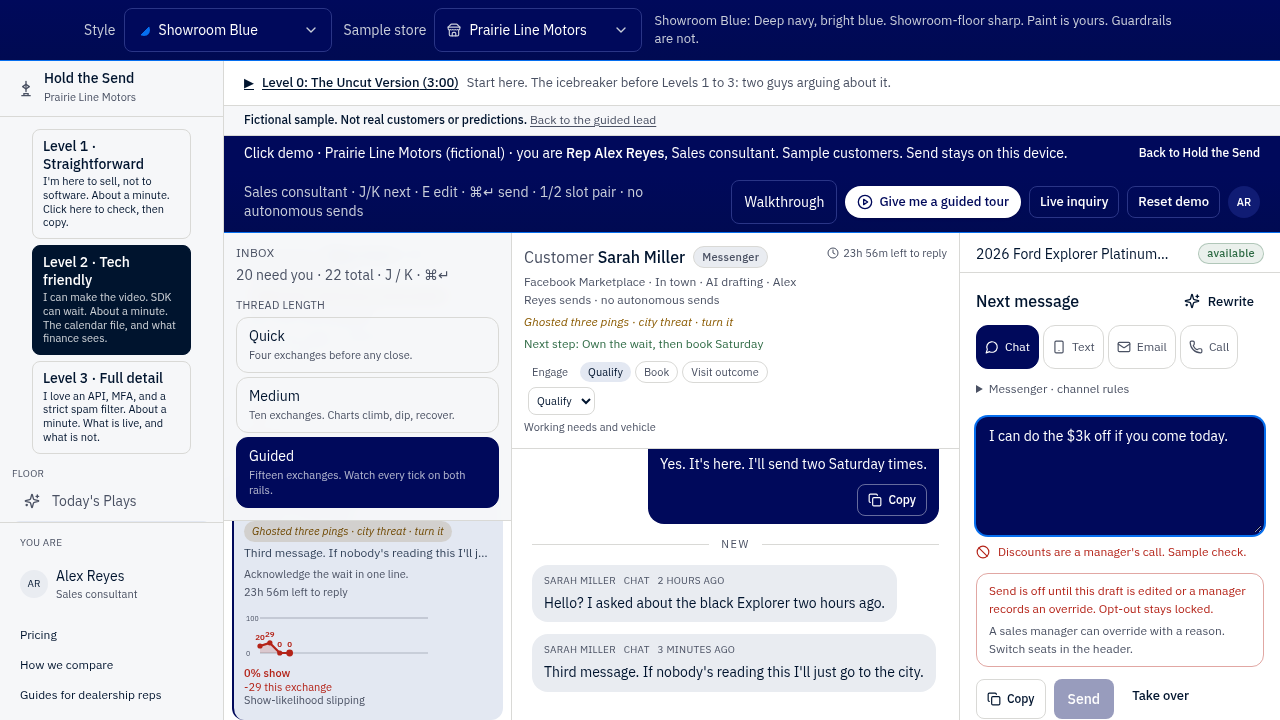
Paste the customer's message and your vehicle facts. Hold the Send writes a reply and holds any price, payment or promise you didn't give it. You read it. You press Send.
You paste the customer's text. It writes the reply. It holds any price you didn't give it. You press Send.
The check flags unsupported prices, payments, discounts and promises. It does not catch everything. A person reviews and sends every reply.
Pick your door
Optional. Everything above works the same for everyone.
Owner or executive
One wrong number in a text, and the store owns it. Hold the Send flags it before it goes out.
It does not catch everything. A person reads and sends every reply.
Manager: sales, BDC or F&I
Catch a rep's made-up payment before it goes out.
Price, trade and credit questions are held until the reply hands them to a manager, or the rep marks that a manager OK'd it.
Sales rep or BDC agent
Answer leads from a checked draft, and get a flag before a wrong number goes out under your name.
Paste the customer's text. Get a checked reply. You press Send.
Say it to your GM in one sentence.
You paste the customer's text. It writes the reply. It holds any price you didn't give it. You press Send.
Customer details like phone numbers, emails, SSNs, dates of birth, account numbers and street addresses are masked before a draft goes to the AI. Managers see usage counts, never message text. A person presses Send on every reply.
Three steps. The rep still sends.
01
Paste
Paste the customer's text and your facts. Speed to lead starts with a checked draft ready in seconds.
02
Check
The check flags unsupported prices, payments, discounts and promises.
03
Send
A person reviews and sends every reply. The reply aims at a booked visit.
What works today, and what does not yet.
Works today
- Paste the customer's text and your facts, check the draft, copy it to your inbox. Speed to lead without starting from a blank page.
- Phone numbers, emails, SSNs, dates of birth, account numbers and street addresses are masked before a draft goes to the AI.
- Managers see setup steps and weekly usage counts, never message text.
- A listed color or a full mile count missing from the notes is held. Navy, reddish, 12k, and a clock time are not those facts.
Not live yet
- A reply button inside Messenger or your CRM.
- A shared team queue.
- An audit log beyond this browser.
The draft is the easy part.
The reply aims at a booked visit. A person checks the draft before Send.
Once a price is in writing, the store owns it. Nothing goes out until a person reads it and presses Send.